Object 1 was pretty simple due to their being a tutorial with step by step instructions to follow. Mine looks like this:

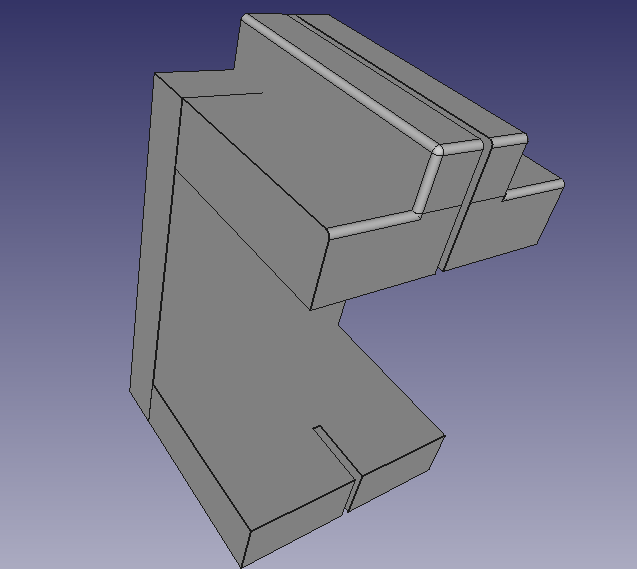
Now… the second object was a real pain. I had a perfect idea of what I wanted to do, and had a vision of it in my mind. Translating it into FreeCAD was not an easy task and it didn’t even translate in very well. I had intended to have a block that clips over the edge of the desk and then on top is has a groove that the cord can sit in and it intentionally goes through the top of the block so that the cord can hang through that part and if it was unplugged, it wouldn’t just slide through the groove and fall off. But for some reason that groove extended to the bottom clip part that is supposed to go under the desk and I could not get it to go away without making the whole groove go away. So it is left there because it doesn’t really make a difference, it just wasn’t what I wanted.
Unfortunately my desk it at my apartment and I am not due to it being spring break and the coronavirus and all that so I don’t have a picture of my desk. I have a desk at home but the part wasn’t meant to fit this desk, it was meant to fit the desk at my apartment so it will not look like it’s the correct size. The desk was a mixture of wood and metal and it was a thicc boi so I know it looks pretty wide but it was actually meant to fit that desk. Second object looks like this:
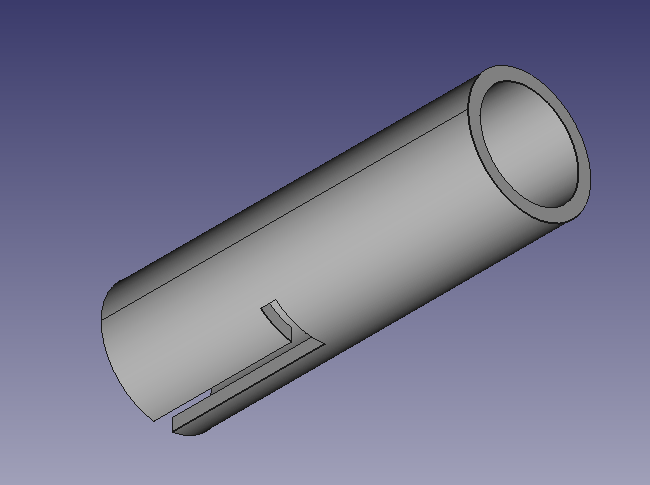
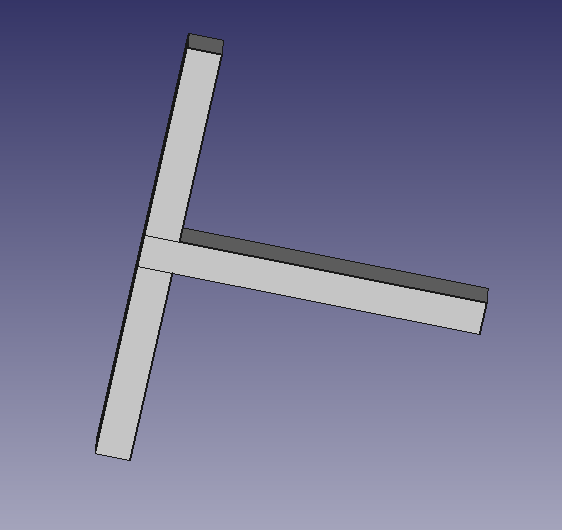
The third part translated much easier from my head to the computer and is a pretty simple idea. Basically it a cylinder with 2 parallel cutouts that go down its side, and then mirrored cutouts that go horizontally across it. The second object is a T shaped structure that is meant to go down the vertical cutouts and then turn into the mirrored horizontal cutouts and lock in like that. Here it is:

 Logan's Emerging Tech Blog